
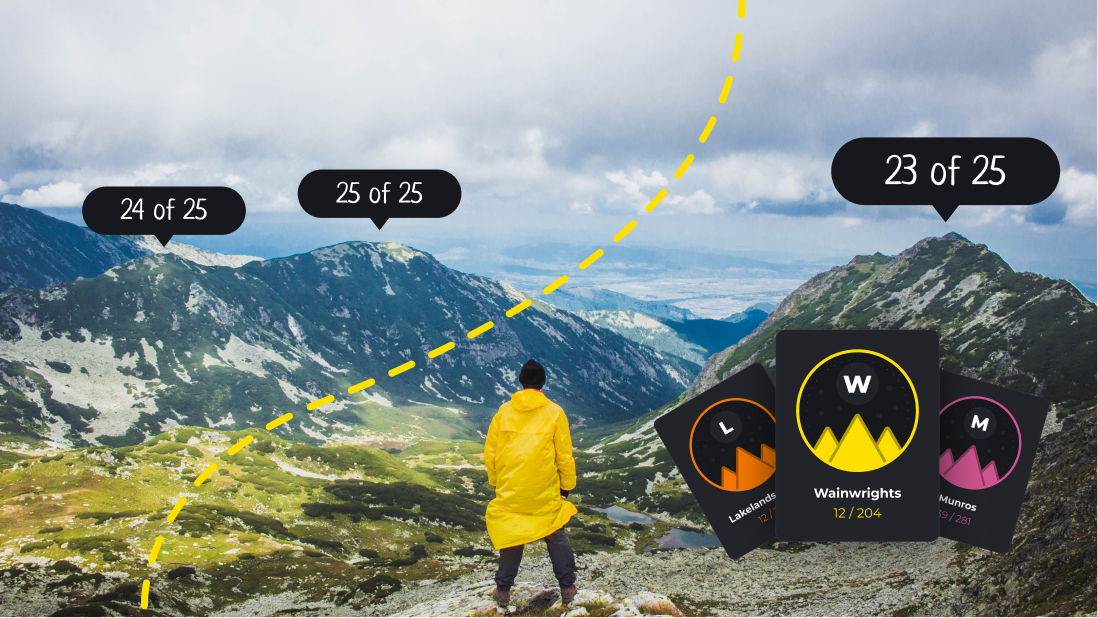
Walk over a summit with a recording running, save the hike, and HiiKER works out which peaks you stood on. No checking in, no ticking boxes, no typing anything into a spreadsheet when you get home.
Peak bagging is now in HiiKER on iPhone and Android, and it’s free for everyone.

You don’t tick anything off
Most bagging apps ask you to tell them what you’ve climbed. HiiKER reads your track instead.
Hit record before you set off and keep it running over the top. When you save the hike, HiiKER compares your recorded track against its register of summits and adds any it finds. They show up in the hike’s summary straight away, and in My Peaks.
That’s the one rule worth remembering: a peak counts if it’s on a recording. A route you planned but didn’t record won’t bag anything, however well you know you walked it.

What counts as reaching the summit
Close enough, roughly speaking, is within about 75 metres of the summit point. Past that and out to 150 metres, HiiKER wants a second signal before it counts it — either your recorded altitude sitting near the summit height, or a couple of minutes spent up there. Small, low tops are stricter, because on a broad flat shoulder the difference between “on it” and “near it” is real.
And if you were moving quickly enough that you were plainly in a car, it doesn’t count. Driving over a pass has never been bagging. The full rules are in how peak bagging works.
However you record, it counts
Record in HiiKER, sync a walk from your Garmin, or import a GPX from somewhere else entirely — they all go through the same matching. If the track is in your account, the summits on it are counted.
That includes the walks you’ve already done. We’re going back through the recordings saved to your account and bagging the peaks on them, so My Peaks won’t start you at zero if your history says otherwise. Years of hill days should count for something.
My Peaks
Everything lands in one place: how many peaks you’ve bagged, how many rounds you’ve started, and the highest summit you’ve stood on with the date you did it. Here’s a walk through the My Peaks screen.
Below that are your lists. The Munros, the Wainwrights, the Corbetts, the Munro Tops, the Wainwright Outlying Fells and plenty more, each with its own progress. Open one and you get the round in full — how far through you are, the highest peak in it, and every summit on the list with the ones you’ve done already marked off.


Routes picked to move you up the list
Open a round and HiiKER suggests walks that will actually get you through it — and tells you why each one is there. One bags the most peaks on the list. One takes you over its highest summit. Then the closest to you, the easiest, the best rated, and the shortest, so whatever you’ve got the time and legs for that day, there’s a route pitched at it.
Every card is a different hike. The list won’t hand you the same walk six times under six labels.

See the whole round on a map
Every list has a map. Filter it to what you’ve bagged to see how your walking has spread across a region over the years, or flip to what’s left and use it to plan where to go next. Bagged summits show in green, the rest in grey.


Every peak has its own page
Tap any summit and you’ll find its height, its position, and — if you’ve been up it — the date you bagged it with a link straight back to the recording that did it. A lot of hills belong to more than one round, so you’ll also see what that single summit did for each list it’s part of.
Switch to the Hikes tab and you get routes that summit it, with a note of how many other peaks each one picks up along the way. That last part is how a day out turns into four ticks instead of one.


See any peak in 3D
Tap 3D on a peak and the map lifts off the flat. The camera orbits the summit with the terrain exaggerated, so a hill that reads as a green smudge from directly above turns into something you can actually judge — which side is steep, where the ridge runs, what you’d be walking into.
The peak’s details stay in reach underneath while it turns. Open the settings and you can change the speed, the camera pitch, how far in it’s zoomed, how much the terrain is exaggerated, and the bearing you’re looking from — or drag the dial to spin it to any angle you like. And to name the hills you can see from where you’re standing, rather than orbit one, there’s Peak Viewer.


The moment it happens
You don’t have to wait until you’re home. Reach a summit with a recording running and HiiKER tells you there and then, with what that peak just did to your progress on the round it belongs to.
If you’d rather walk undisturbed, there’s a Don’t show again under the button that turns celebrations off for good — and you can bring them back any time from Settings, under Customize. Your peaks are still bagged either way. Turning it off only hides the moment, not the tick.
When you finish, the hike’s summary lists what you picked up, with anything new marked as new and anything you’d already been up marked as already bagged.


Know what’s on a route before you go
Open any hike in HiiKER and you’ll see the summits it passes, in the order you’ll meet them, with how far into the walk each one comes and whether you’ve already got it. It’s the quickest way to answer the question every bagger asks: is this walk worth the drive? More on Peaks on route.

Leaderboards, and your own record
Each round has a leaderboard. You’ll see who’s furthest through it, where you sit, and how many peaks separate you from the person above — which is either motivating or infuriating, depending on the week. Here’s how the leaderboards work.
Your progress also shows on your HiiKER profile, so anyone who follows you can see the rounds you’re working through.

Getting started
Open HiiKER and tap My Peaks on the home screen. Browse the rounds, start the ones you care about, and then go for a walk with the recorder running. The rest happens by itself.
Peak heights and list memberships come from the Database of British and Irish Hills, the volunteer-maintained dataset the hillwalking community has relied on for years. We’re grateful for it.